


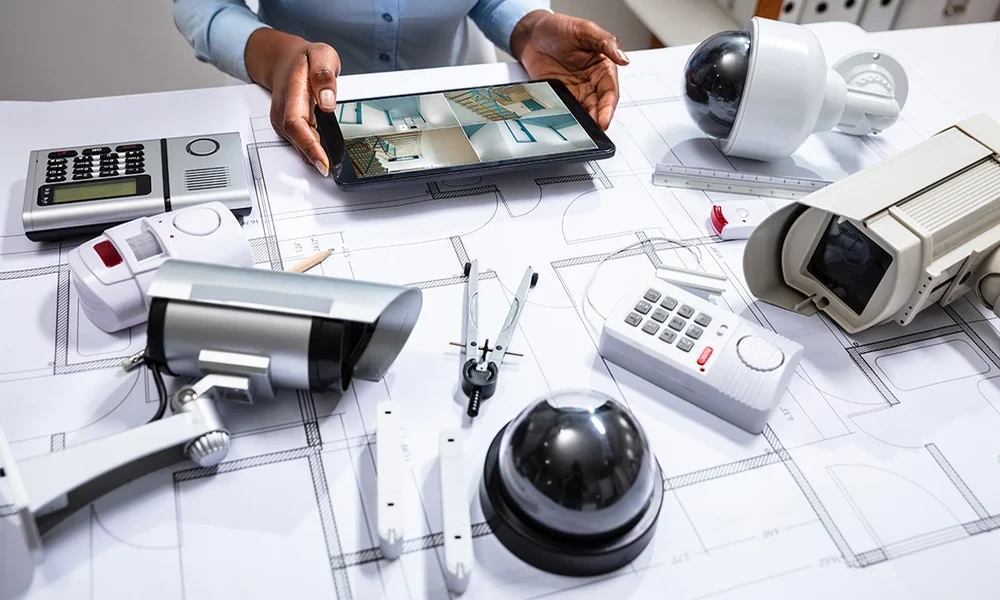
Business security systems combine physical and digital controls to reduce risks such as unauthorized entry, theft, vandalism, and disruption. The right setup depends on the site, assets, operating hours, privacy obligations, and the consequences of a security incident.
Start with a risk assessment
Before buying equipment, identify what needs protection, likely threats, vulnerable access points, and the impact of a loss. A retail store may focus on entrances, stock areas, and cash handling, while an office may prioritize visitor access and sensitive records. Consider operating hours, shared premises, delivery areas, and emergency exits. Rank risks by likelihood and impact, then choose controls that address the most important gaps. A risk assessment helps prevent overspending on features that do little to reduce the actual exposure. Make sure the system can be used during normal operations without encouraging unsafe shortcuts. If staff routinely prop open a controlled door or disable a noisy sensor, investigate the underlying problem and revise the setup. For additional context, consult the Cybersecurity and Infrastructure Security Agency’s small-business resources and adapt the guidance to your jurisdiction and business needs.
Intrusion alarms and monitoring
Intrusion alarms can detect unauthorized access through door contacts, motion sensors, glass-break sensors, or other devices. Monitoring services may notify designated contacts or a response center when an alarm is triggered. Compare sensor coverage, false-alarm handling, backup power, communication options, maintenance, and response procedures. Confirm who receives alerts outside business hours and how the system behaves during an internet or power outage. An alarm is most useful when staff know how to arm it, disarm it, and respond correctly. Keep a record of incidents, system faults, and maintenance visits. Patterns can show whether the equipment is positioned poorly, alerts are not being handled, or a policy needs to change.
Video surveillance and camera placement
Cameras can help deter some incidents and provide evidence for investigations. Choose placement based on entrances, high-value inventory, loading areas, and other justified risks. Image quality, lighting, storage capacity, retention settings, and remote access all affect usefulness. Avoid assuming that more cameras automatically create better security. Check privacy and workplace-surveillance rules in the relevant jurisdiction, post notices where required, and restrict footage access to authorized people. Audio recording may be subject to additional rules and should not be enabled casually. Make sure the system can be used during normal operations without encouraging unsafe shortcuts. If staff routinely prop open a controlled door or disable a noisy sensor, investigate the underlying problem and revise the setup.
Access control and visitor management
Access control systems use keys, cards, mobile credentials, PINs, or biometric methods to manage entry. The appropriate approach depends on the site and the sensitivity of the area. Individual credentials make it easier to revoke access when employees leave or responsibilities change. Visitor procedures should explain sign-in, escort requirements, temporary credentials, and emergency evacuation. Keep emergency egress and accessibility requirements in mind, and ensure that a failure of the access system does not create a dangerous exit condition. Keep a record of incidents, system faults, and maintenance visits. Patterns can show whether the equipment is positioned poorly, alerts are not being handled, or a policy needs to change.
Protecting systems and connected devices
Modern security devices may connect to networks, mobile apps, cloud services, or building systems. Change default passwords, enable multi-factor authentication where available, apply firmware updates, and restrict access to people who need it. Separate security devices from sensitive business systems where practical and review vendor support policies. Decide how recordings and access logs are backed up, exported, and deleted. A camera or smart lock that is poorly configured can create a new entry point for attackers rather than reducing risk. Make sure the system can be used during normal operations without encouraging unsafe shortcuts. If staff routinely prop open a controlled door or disable a noisy sensor, investigate the underlying problem and revise the setup.
Evaluate monitoring and response options
Some businesses use self-monitoring through mobile alerts, while others contract with a professional monitoring service. Compare staffing availability, response time, escalation procedures, false-alarm charges, service coverage, and contract terms. Determine what happens if the owner is traveling or the primary contact does not answer. For higher-risk sites, establish a written incident response plan and identify who can contact emergency services. Do not rely on an app notification as the only response path for a serious incident. Keep a record of incidents, system faults, and maintenance visits. Patterns can show whether the equipment is positioned poorly, alerts are not being handled, or a policy needs to change.
Match equipment to the site
A single office may need only a modest combination of door control, alarm sensors, and a few cameras. A warehouse, multi-site business, or facility with restricted areas may require more integrated controls and professional design. Assess environmental conditions, network coverage, lighting, mounting options, accessibility, and maintenance needs. If the site is rented, confirm installation permissions and responsibility for removing equipment. Select equipment that can be supported over its expected life rather than choosing solely by initial purchase price. Make sure the system can be used during normal operations without encouraging unsafe shortcuts. If staff routinely prop open a controlled door or disable a noisy sensor, investigate the underlying problem and revise the setup.
Compare total cost and service terms
Budget for installation, monitoring, subscriptions, replacement batteries, storage, maintenance, training, and future upgrades. Review contract length, automatic renewal, service-level commitments, ownership of recordings, data export, and fees for moving or terminating the service. Ask how the vendor handles outages and repairs. A low equipment price can become expensive if support is weak or essential functions require costly recurring add-ons. Obtain a written proposal that clearly separates equipment, installation, and ongoing service charges. Keep a record of incidents, system faults, and maintenance visits. Patterns can show whether the equipment is positioned poorly, alerts are not being handled, or a policy needs to change.
Create policies and train staff
Technology works best when supported by clear procedures. Define who can grant access, issue credentials, review footage, respond to alerts, and report suspicious activity. Train employees on opening and closing routines, visitor handling, lost access cards, and emergency procedures. Review access rights periodically and remove unnecessary permissions. Explain surveillance practices transparently and respect employee privacy. Record incidents and near misses so that controls can be improved based on evidence. Make sure the system can be used during normal operations without encouraging unsafe shortcuts. If staff routinely prop open a controlled door or disable a noisy sensor, investigate the underlying problem and revise the setup.
Review security regularly
Test alarms, inspect camera views, review access logs where appropriate, and confirm that contact details and emergency procedures remain current. Reassess the system after a move, renovation, staffing change, incident, or change in the assets being protected. Coordinate physical security with cybersecurity, insurance requirements, and business continuity planning. A well-chosen system is not simply a collection of devices; it is a maintained set of controls, policies, and response procedures that match the risks the business actually faces. Keep a record of incidents, system faults, and maintenance visits. Patterns can show whether the equipment is positioned poorly, alerts are not being handled, or a policy needs to change.
Conclusion
Effective business security combines appropriate equipment with sound procedures, trained people, and regular maintenance. Assess the real risks, confirm privacy and legal requirements, and make sure alerts lead to a clear response.

